Topics in this domain
- IT Service Management
- Hardware Components and Architecture
- Operating Systems
- OSI Model
- TCP/IP and Common Protocols
- Network Devices: Switches, Routers, Gateways
- LAN/WAN Topologies
- Database Models and DBMS
- Database Controls and Normalization
- Asset Management
- Configuration Management
- Job Scheduling and Batch Processing
- Incident Management
- Problem Management
- Change Management
- Release and Patch Management
- Service Level Management
- Capacity and Performance Monitoring
- End-User Computing
- BCP Lifecycle
- Business Impact Analysis
- RTO, RPO, MTD, SDO
- Recovery Strategies
- Alternate Sites: Hot, Warm, Cold
- Backup Types: Full, Incremental, Differential
- Backup Storage and Rotation
- DRP Contents
- Testing BCP/DRP
- High Availability, RAID, Insurance
- Auditing BCP
Release and Patch Management
Delivering the change
Change management is the kitchen approving a new recipe. Release management is service: plating the dishes, getting them out at the right moment, and taking one back if it’s wrong.
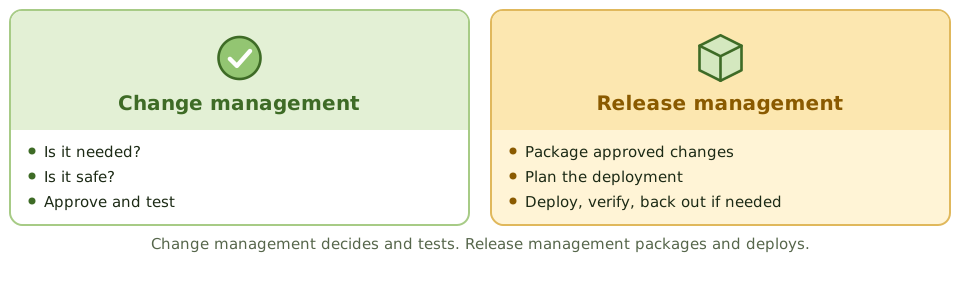
Release management takes changes that change management has approved, packages them and deploys them into production in a controlled way. Change management approves; release management deploys.
Types of release
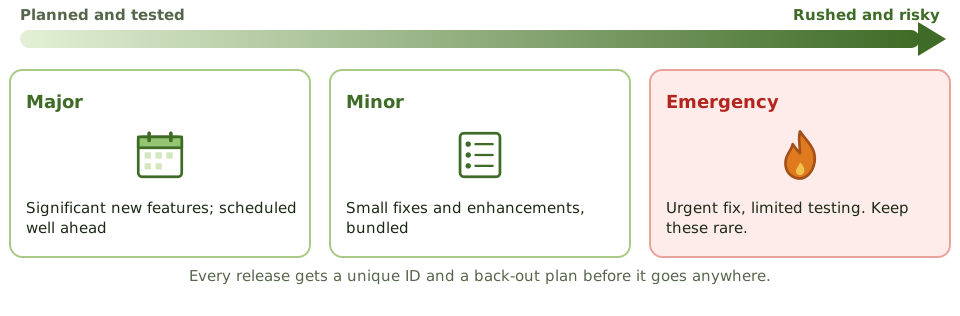
| Release type | Description |
|---|---|
| Major | Significant new functionality; usually scheduled well in advance |
| Minor | Small enhancements and fixes, often bundled into regular releases |
| Emergency | Urgent fixes with limited testing; should be rare, because the risk of errors is higher |
Release controls
- a unique identifier for each release (for configuration management)
- a definitive media library: a secure store of approved software versions and builds
- a deployment plan with timing and responsibilities
- a back-out plan, prepared before deployment
- testing in an environment that mirrors production
- checks after release that it worked
Patch management
Patches fix security vulnerabilities and bugs. Applying them is a change, so it follows change management.
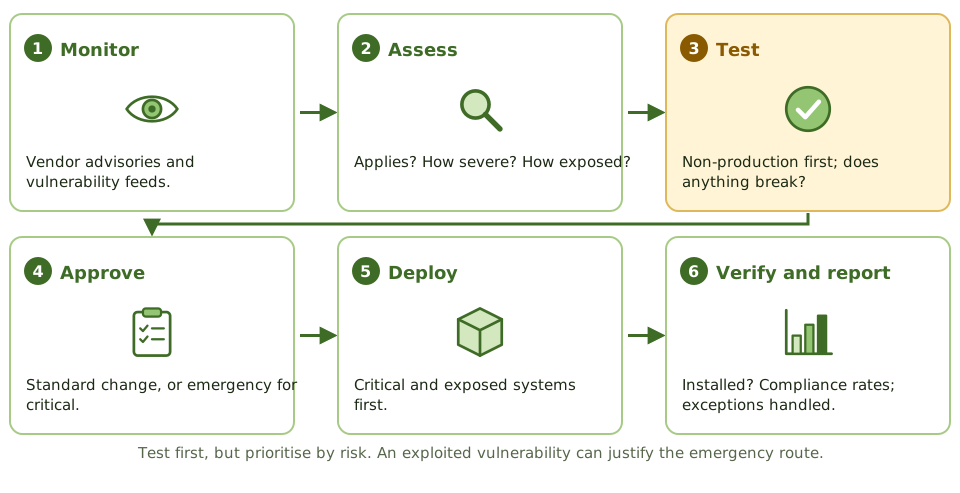
- Monitor vendor advisories and vulnerability sources.
- Assess whether each patch applies, how severe the issue is, and how exposed the affected systems are.
- Test in a non-production environment to make sure it doesn’t break applications.
- Approve through change management: a standard change for routine patches, the emergency route for critical ones.
- Deploy, starting with critical patches on exposed and high-value systems.
- Verify installation and report patch compliance. Automated patching without verification can leave failures unnoticed.
- Handle exceptions: systems that can’t be patched (legacy, vendor-locked, unsupported) are documented, with compensating controls such as isolation and extra monitoring, and a plan to replace them.
Speed vs safety
Unpatched systems are a leading cause of breaches; badly tested patches cause outages. The exam’s balance: test before deploying, but prioritise by risk, and use the emergency process when a vulnerability is being actively exploited. Emergency patches still get recorded and reviewed afterwards.
Example. A critical vulnerability in the VPN appliance is being exploited worldwide. The organisation applies the patch the same day through the emergency change route, after a quick test on a standby appliance. The change is documented and reviewed by the change board the next morning.
How the exam asks about it
| If the question asks… | The answer is usually… |
|---|---|
| Difference between change and release management | Change approves; release plans and deploys |
| What must exist before deploying a release | A tested back-out plan |
| Step before deploying a patch to production | Test it |
| System can’t be patched | Compensating controls and documented risk acceptance |
| Best indicator of patch management effectiveness | Time to patch critical vulnerabilities; compliance rates |
In short
- Release management plans, builds, tests and deploys approved changes into production as controlled packages.
- Release types: major (significant new functionality), minor (small enhancements and fixes) and emergency (urgent fixes).
- Every release has a unique identifier, a deployment plan and a back-out plan.
- Patch management keeps systems current with vendor fixes, prioritised by risk.
- Patches are tested before production deployment, ideally in a test environment that mirrors production.
- Patch status is monitored and exceptions (systems that can't be patched) are documented with compensating controls.
Exam traps
- Change management approves; release management deploys.
- Emergency patches can use expedited change but still need recording and retrospective review.
- Applying patches directly to production without testing risks outages.
- Unsupported systems that no longer receive patches need compensating controls or replacement.
- Automated patching without verification can leave failures unnoticed.
Slides
Click the slide and use the arrow keys. F toggles full screen.
Delivering the change
Change management is the kitchen deciding the new recipe is approved. Release management is service: plating the dishes, getting them out at the right moment, and taking one back if it's wrong.
Release management packages approved changes and deploys them into production in a controlled way.
Types of release
Patch management